For effective detection, it’s crucial to collect the right data. A best practice is to enable the collection of DLL load events (Event ID 7) using Sysmon on your Windows endpoints. Be aware that this can generate a high volume of data, so you may want to create filters to exclude routine DLL loads from your collection pipeline.
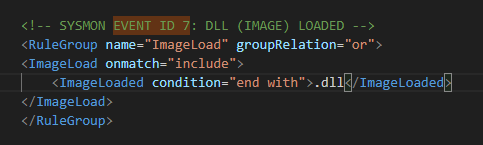
DLL load events via Sysmon
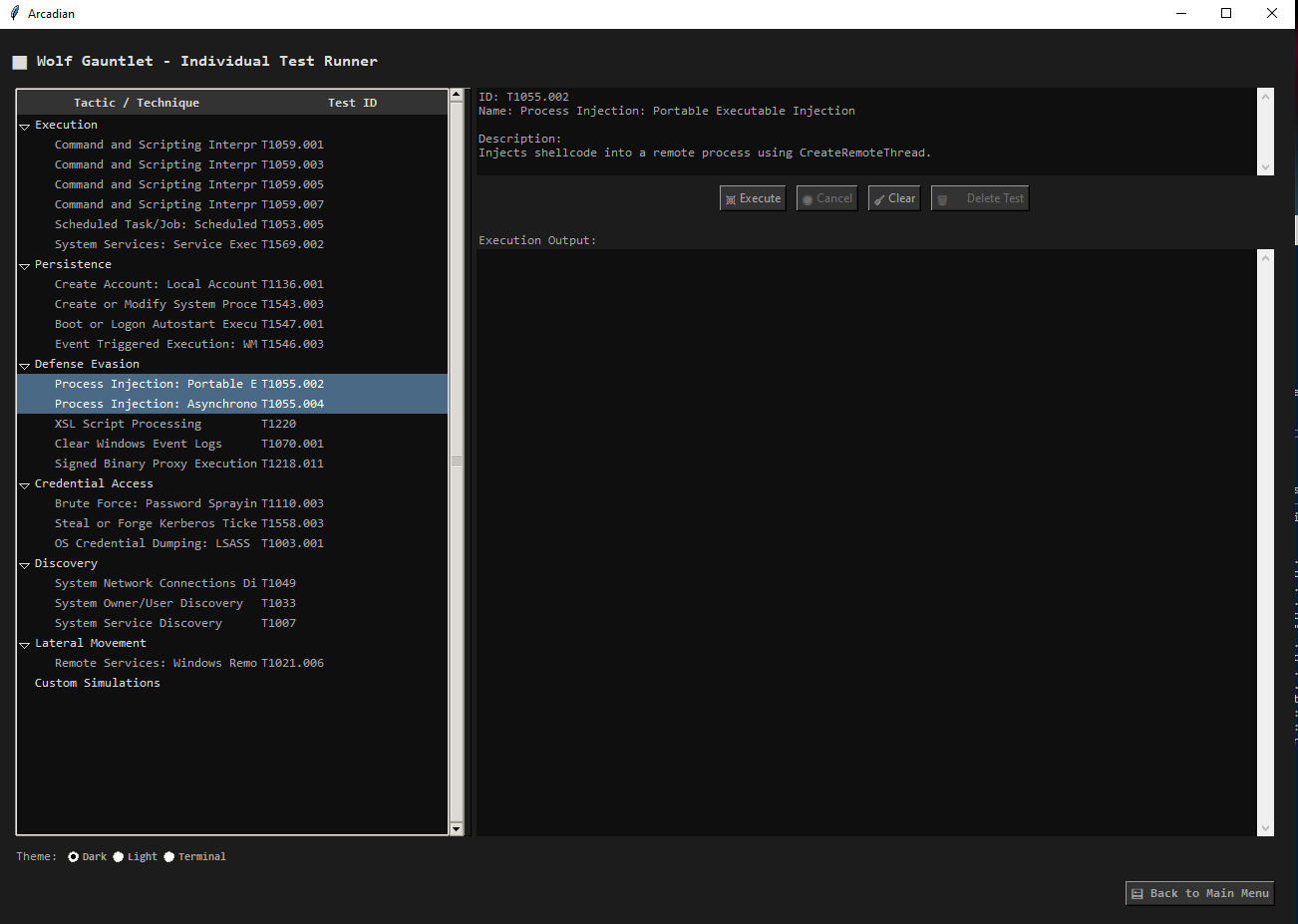
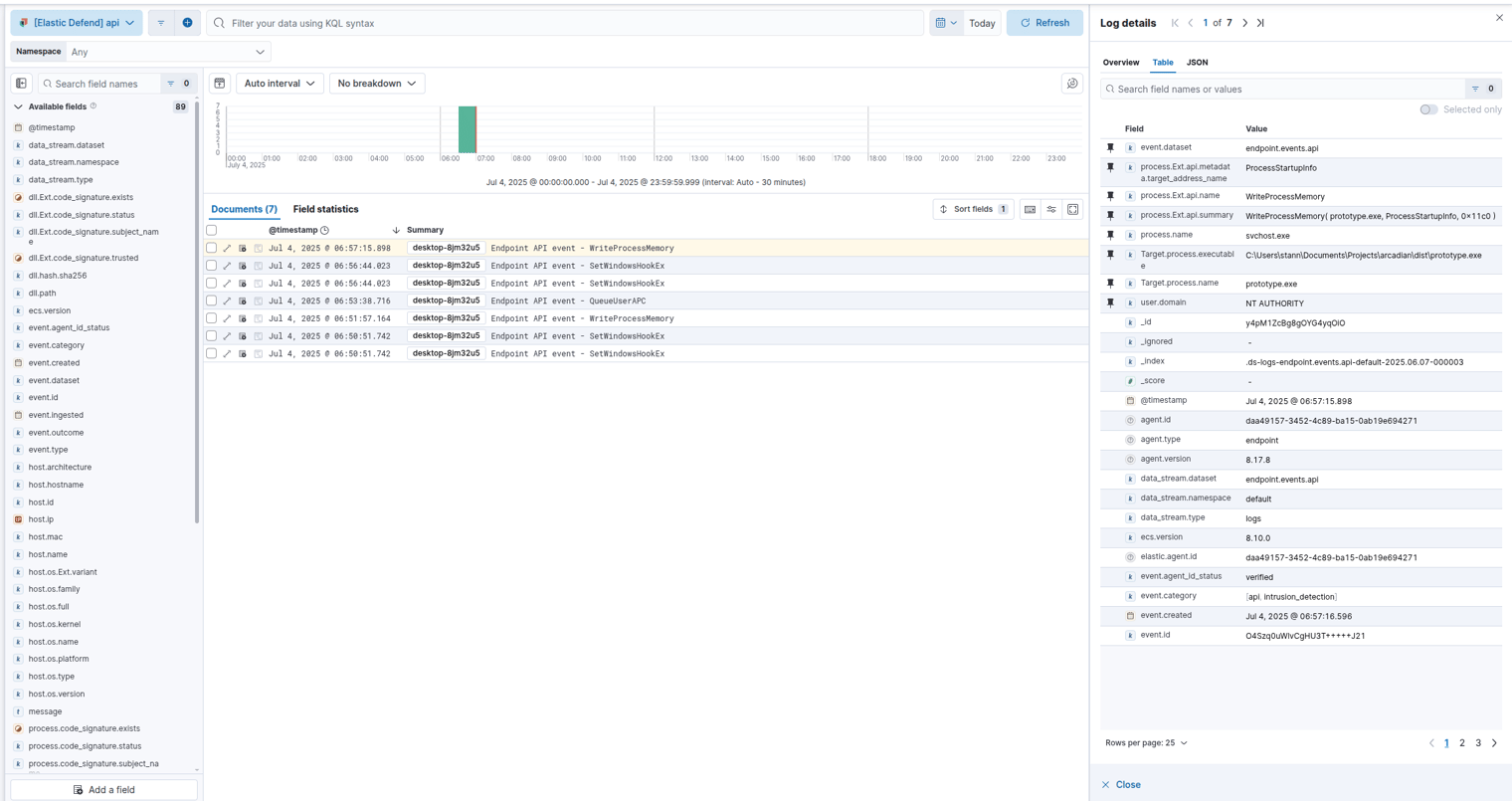
After running the simulations with PurpleSharp, I used the Elastic Defend agent to capture the resulting activity. The agent’s EDR capabilities provided detailed telemetry on Windows API calls.
In the logs, a key event stood out: prototype.exe (my Arcadian test executable) was making a call to WriteProcessMemory. This is highly anomalous. The WriteProcessMemory API is not typically called by such a process, making it a strong indicator of suspicious behavior.
Using the Elastic Defend agent I am able to capture multiple Windows API events using the EDR agent. We can use this telemetry to help us build a detection, in this situation it is odd in itself that “prototype.exe” is calling “WriteProcessMemory”. This would be considered anomalous activity because “WriteProcessMemory” API is not normally called via that process.
Creating the Sigma Rule
Using the telemetry we gathered, I created the following Sigma rule to detect this type of anomalous activity. The rule is designed to identify WriteProcessMemory events originating from processes that are not typically associated with this function, effectively filtering out the noise of legitimate system operations.
title: Anomalous Process Calling WriteProcessMemory
id: 5a74d2c8-b24a-47a2-9b6b-1f2e1d7c9a0b
status: experimental
description: >
    Detects the WriteProcessMemory API call from a source process that is not commonly associated with this activity.
    This can be an indicator of process injection techniques (T1055.002), where a malicious process writes into the memory of a legitimate process before execution.
references:
    - https://attack.mitre.org/techniques/T1055/002/
    - https://www.elastic.co/guide/en/security/current/prebuilt-rule-8-4-2-windows-process-injection-by-the-svchost.html
author: 'Gemini'
date: '2025/07/04'
tags:
    - attack.defense_evasion
    - attack.privilege_escalation
    - attack.t1055.002
logsource:
    product: windows
    category: api
    # This rule is based on Elastic Endpoint event logs (endpoint.events.api)
detection:
    selection:
        event.category: 'api'
        process.Ext.api.name: 'WriteProcessMemory'

    # Filter for common and legitimate processes that use WriteProcessMemory
    # This list should be customized to your environment to reduce false positives.
    filter:
        process.name:
            - 'svchost.exe'       # As seen in the provided log for services like Program Compatibility Assistant (PcaSvc)
            - 'lsass.exe'
            - 'csrss.exe'
            - 'wininit.exe'
            - 'services.exe'
            - 'smss.exe'
            - 'explorer.exe'
            - 'rundll32.exe'
            - 'WerFault.exe'      # Windows Error Reporting
            - 'WerFaultSecure.exe'
            - 'wermgr.exe'
            - 'consent.exe'       # UAC
            - 'Taskmgr.exe'       # Task Manager
            - 'procexp.exe'       # Process Explorer
            - 'procexp64.exe'
            - 'procmon.exe'       # Process Monitor
            - 'procmon64.exe'
            - 'vmms.exe'          # Hyper-V
            - 'VBoxSvc.exe'       # VirtualBox
            - 'vmware-authd.exe'  # VMWare
            - 'devenv.exe'        # Visual Studio
            - 'windbg.exe'        # Windows Debugger
            - 'MsMpEng.exe'       # Microsoft Defender Antivirus
            # Add other known security tools, debuggers, or virtualization software specific to your environment

    condition: selection and not filter
falsepositives:
    - Legitimate third-party applications such as debuggers, security software, or virtualization tools not included in the filter list.
    - Some software installers or updaters may also trigger this rule.
level: high
You can find this rule and more in my public Sigma rule repository here: https://github.com/TakayamaSec/custom_sigma_rules/tree/main/Privilege%20Escalation
 Networking-Dojo