This guide provides a straightforward method for creating YARA rules from malware samples using YarGen and MalwareBazaar.
1. Setup Your Environment
CRITICAL: Before you start, use a completely isolated virtual machine (VM). Do not handle malware on a machine connected to your network or containing sensitive data.
Inside your VM, open a terminal and follow these steps:
- Clone the repository
- Create and activate a Python virtual environment(Note: Use
source venv/bin/activateon Linux/macOS) - Install required packages
- Update the YarGen signature database: This helps reduce false positives.
git clone https://github.com/Neo23x0/yarGen.gitcd yarGen
python3.10 -m venv
venv venv\Scripts\activate
pip install -r requirements.txt
python yarGen.py --update
2. Download a Malware Sample
- In your isolated VM, go to
https://bazaar.abuse.ch/browse/. - Download a malware sample to analyze.
3. Generate the YARA Rule
- Navigate back to your terminal running in the
yarGendirectory. - Run the following command, pointing it to your downloaded malware file
python yarGen.py -m [PATH_TO_YOUR_MALWARE_FILE]4. Review the Output
YarGen will process the file and generate YARA rules based on the strings it finds.
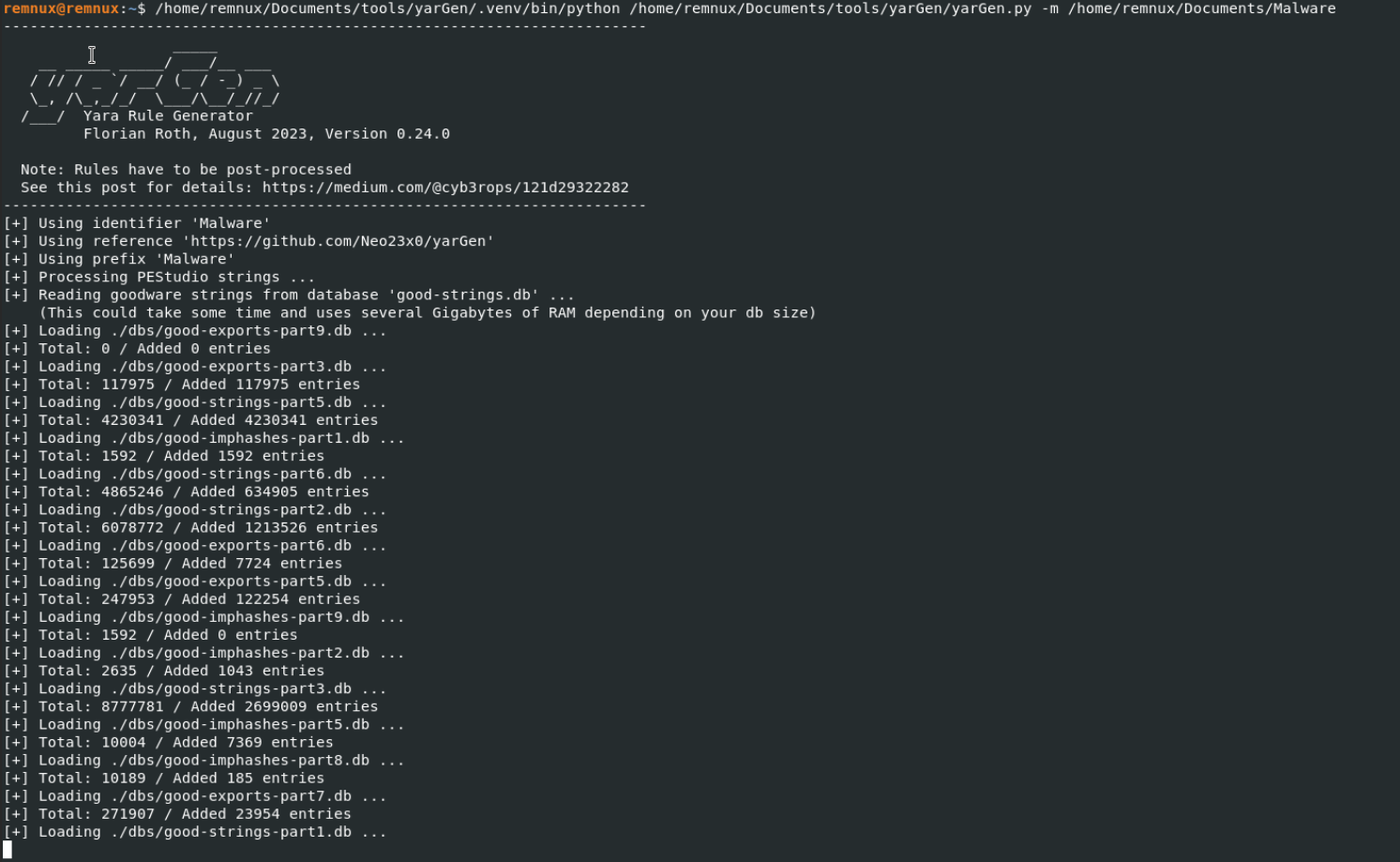
The output is saved in yargen_rules.yar, containing the generated rule.
The tool extracts unique strings from the malware to create detection logic. This automates a significant part of the rule-writing process.
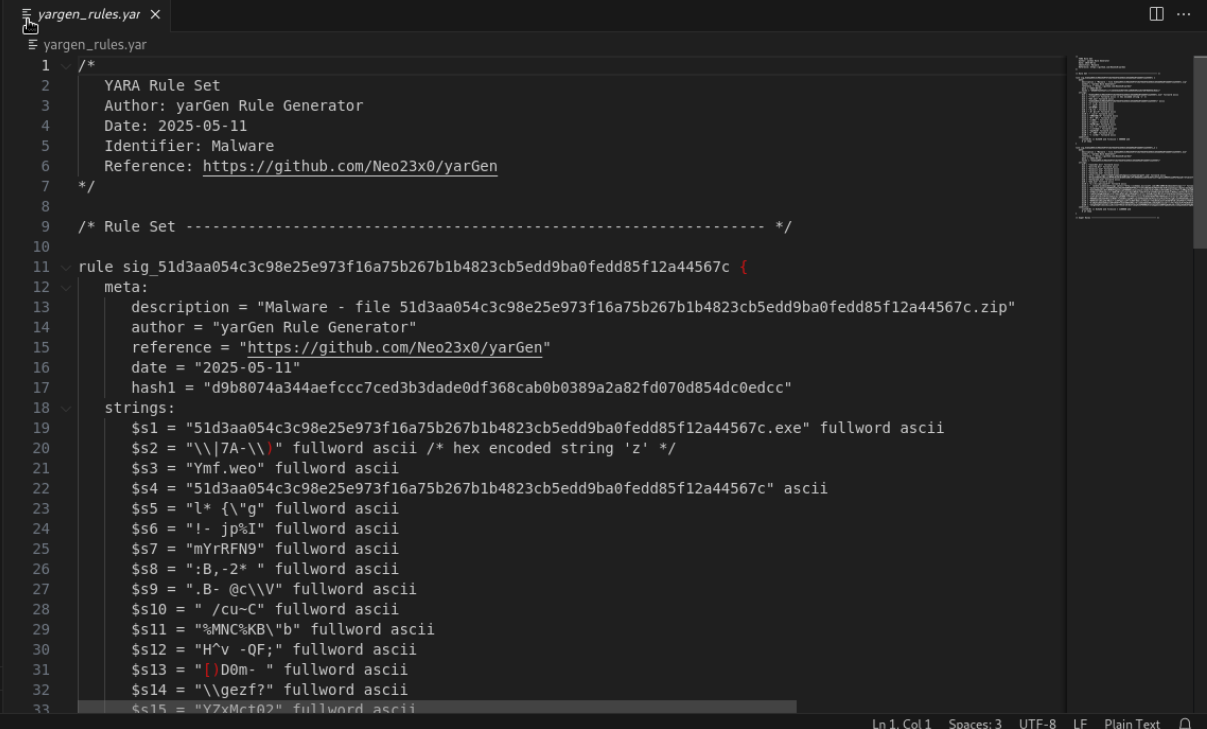
The strings section of the rule shows the specific indicators YarGen identified in the malware sample.
 Networking-Dojo